
If you’ve ever had to answer, “Where are we on this case?” and felt your brain instantly overwhelmed, you’re not alone. Litigation is messy by nature. But the work around litigation doesn’t have to be.
In 2026, expectations are sharper. Clients want updates faster. Case teams are leaner. And even one slow handoff can drag out timelines and inflate administrative costs. That’s why so many firms are making room for Litigation Management Software as a core operational tool.
In this guide, we’ll break down why manual processes are cracking under modern pressure. And can Litigation Management Software be the solution that most firms are looking for? Let’s find out.
TL;DR: What is Litigation Management Software?
At its core, Litigation Management Software is a centralized system that helps law firms manage litigation workflows from a single place. This includes case status, documents, communications, tasks, and the moving pieces that keep a matter progressing.
A strong Litigation Management Software reduces the chaos that comes from running cases across disconnected tools.
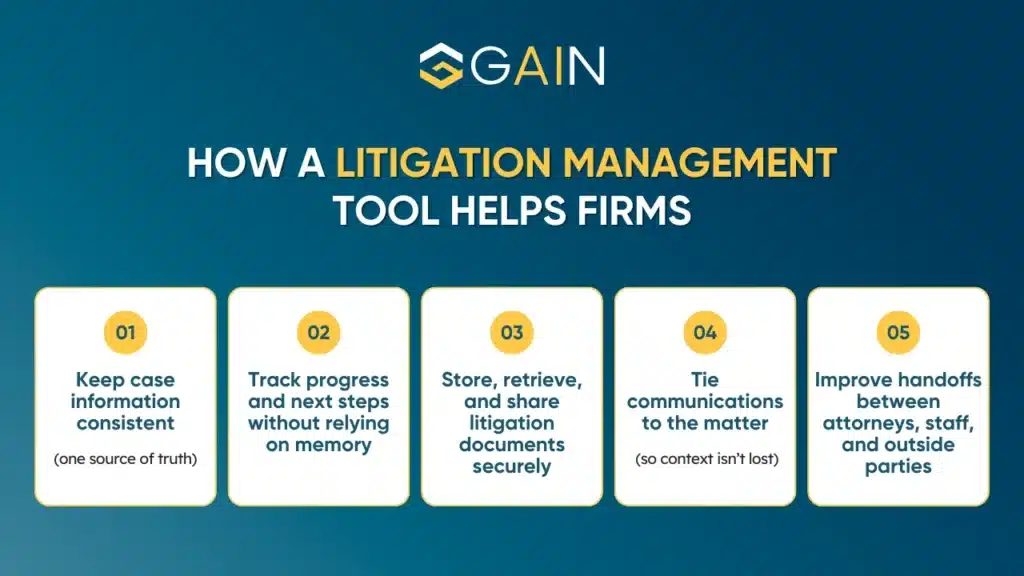
In practice, having a litigation case management system makes case execution smoother, more visible, and easier to scale.
Why Manual Litigation Work Breaks Down in 2026
Most firms don’t choose manual operations on purpose. It’s usually the result of growth with more cases, more staff, more providers, more moving parts.
Here’s a quick visual map of where delays typically pile up.
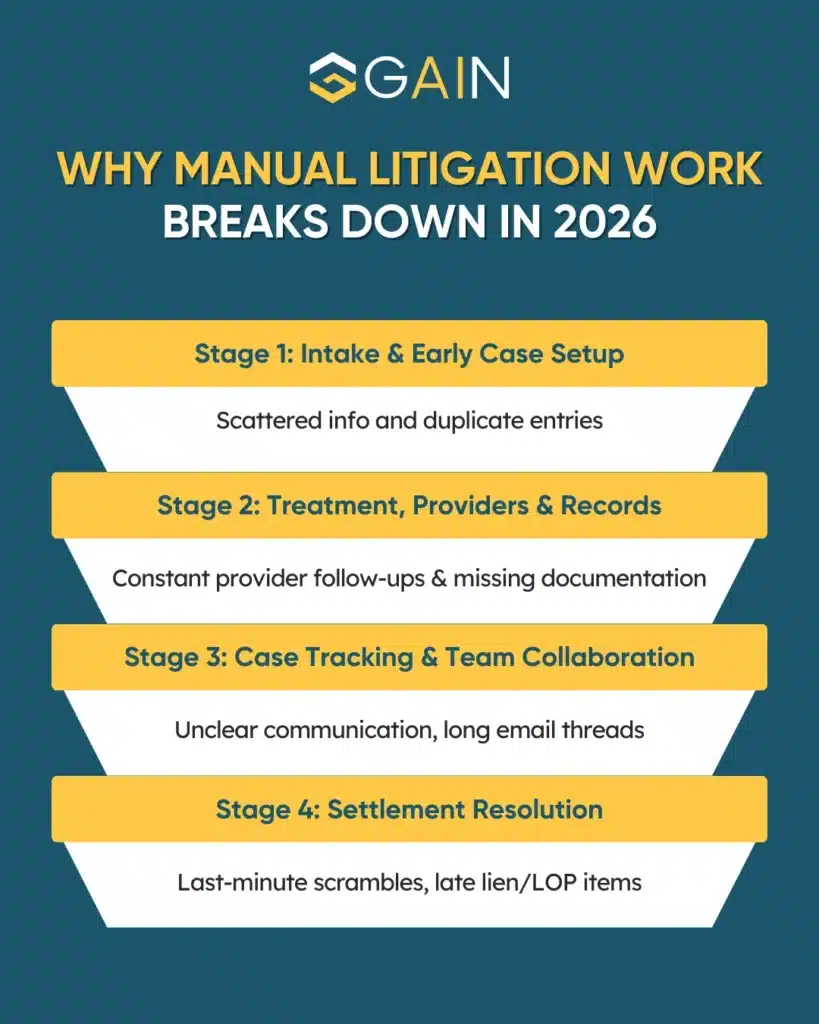
In short, manual methods cost momentum. And in 2026, momentum is often the difference between a clean settlement path and a case that drags for months longer than it should.
What a Modern Litigation Support Software Centralizes
A modern Litigation Software for attorneys helps to centralize a few essential realities of litigation work:
A single case “source of truth”
Instead of the case living across inboxes and folders, your case record should hold the current status. All key documents and running history should be in one place.
Collaboration that stays tied to the matter
The best litigation software for attorneys keeps communication connected to the case. It ensures all messages, requests, updates, and notifications are organized in one place.
Document organization that supports settlement readiness
Litigation is document-heavy. But the real goal is having the right documents, organized in a way that supports evaluation, negotiation, lien resolution, and settlement execution.
Visibility into what’s stuck
A strong litigation management tool makes bottlenecks visible. It offers real, measurable signals that show where cases slow down and what needs attention next.
This is why many firms view a litigation management tool as one of the best platforms for managing complex litigation cases.
Key Features of a Litigation Management Software
Here are the features that support real litigation workflows effectively:
Centralized case dashboard and status tracking
Your team should be able to see case progress at a glance: what stage the matter is in, what’s pending, and what’s next. A dashboard turns case management from reactive to proactive, and it’s a foundational piece of any litigation case management system.
Secure document storage and fast retrieval
A core function of software for litigation is to keep case documents organized and accessible. Ideally, your system supports secure uploads/downloads and simple categorization (medical records, bills, letters, authorizations, liens, etc.). Modern platforms like GAIN Servicing make this easy with secure document storage designed and streamlined case document sharing.
Messaging and notifications tied to the case
Good litigation support software reduces email overload by keeping communication connected to the matter. When messages and notifications live inside the case file, the team doesn’t have to chase scattered updates.
Platforms like GAIN Servicing are designed for litigation workflows. It supports built-in messaging and notification tools so case communication feels more centralized and trackable.
Workflow support for “moving the case forward”
A strong Litigation Management Software platform supports day-to-day progression. This includes capturing requests, tracking documents, logging updates, and keeping tasks visible so nothing quietly stalls.
Collaboration support that includes outside parties when needed
Litigation doesn’t happen in a vacuum. Providers, clients, funders, and other stakeholders may need updates or document exchange. The best litigation tools help you collaborate without losing control of access and permissions.
Reporting that helps you manage
Reporting shouldn’t be vanity dashboards. It should help you answer operational questions:
- Where are delays happening most?
- Which case stages are slowest?
- What’s impacting settlement timing?
With GAIN Servicing’s AI-enhanced dashboard, monitoring and reporting case status and financials becomes easy. This is thanks to analytics that can be reviewed across key stakeholders: provider, attorney, or patient.
Medical coordination and provider connectivity
If your team spends hours locating providers, scheduling, and managing medical records, a more streamlined system is of utmost importance. GAIN Servicing, for instance, offers provider connectivity tools where attorneys can easily search for and schedule client medical care.
Lien/LOP and settlement-adjacent support
Personal Injury Litigation firms treat this as a core requirement. Tools like GAIN Servicing offer full support for healthcare providers managing Letters of Protection. It also monitors cases to keep parties informed and keep services aimed at optimizing collections and settlement outcomes.
When these features work together, your Litigation Management Software becomes something your team can rely on across every case.
How Litigation Management Software Boosts Productivity
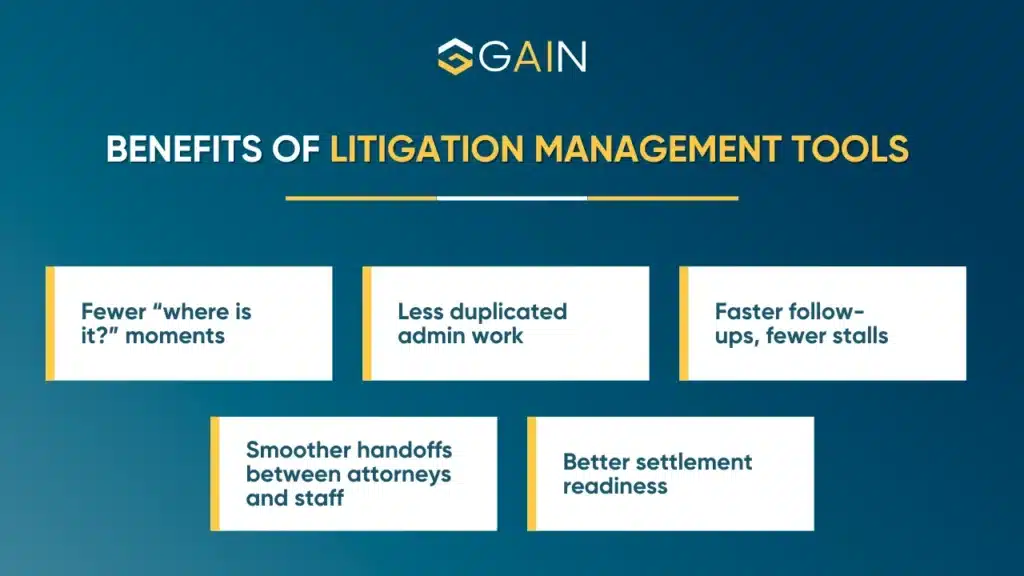
Productivity gains from Litigation Management Software come from removing small delays that stack up across a case’s lifespan. Here’s what that looks like in real firm terms:
How GAIN Servicing Helps Firms with Litigation Management
A lot of litigation software tries to be everything for everyone. GAIN Servicing is more purpose-built.
It’s designed to connect personal injury attorneys and healthcare providers and simplify the operational realities of PI case progression. Here’s how that shows up in practice.
It centralizes the case details
The platform’s patient record center helps firms update and retrieve information and documents. There’s also a secure document storage and a messaging system to share important records and updates.
This combination supports what firms actually want from an AI-enabled software: less chasing, fewer missing items, and clearer visibility.
It supports the medical coordination side of PI litigation
For firms, coordinating medical care can be a major source of delay. This is especially true when treatment needs to be scheduled quickly and documented consistently.
GAIN Servicing helps attorneys find and schedule care with verified providers and even request related assistance like transportation. For practices that handle injury cases at scale, this can directly affect timeline and settlement readiness.
It brings visibility through reporting and case metrics
GAIN Servicing offers AI-enhanced dashboards and reporting to monitor case status and financials, with analytics down to individual cases. It’s a way to see what’s slowing cases down and manage your workflow with data, not gut feel.
It can reduce settlement pressure through pre-settlement funding options
In some cases, the financial pressure on plaintiffs can push premature settlements. GAIN Servicing offers pre-settlement funding for plaintiffs, describing a non-recourse structure and fast funding after approval.
For attorneys, this can be relevant as part of a broader “case stays stable while it progresses” strategy. This is highly beneficial in situations where financial stress is undermining the client’s ability to hold out for a fair outcome.
If your firm is evaluating the best litigation management software specifically for personal injury workflows, GAIN Servicing is worth a close look because it’s built around those real-world pressure points.
Final Take
In 2026, the real question is why your firm is still trying to run complex matters on disconnected systems and manual follow-ups.
With a Litigation Management Software, firms can reduce this friction. Centralizing case data, keep communication tied to the matter, organize documents for settlement readiness, and give your team visibility into what’s stuck.
Choosing the right platform aligned to your firm’s workflows can make the difference between constantly reacting and consistently moving cases forward. GAIN Servicing is designed for that intersection. By connecting attorneys and providers, centralizing records and communications, and supporting the operational steps, it helps cases progress with fewer delays.
If you’re ready to modernize your workflow with a litigation management tool that’s built for PI realities, GAIN Servicing is a strong option, and the right one.
FAQs
How to choose litigation management software for legal teams?
Start with assessing your bottlenecks, whether it’s records, provider updates, liens, or internal handoffs. Opt for a Litigation Management Software that centralizes status, documents, and case communications, with clear permissions and reporting. Before onboarding it fully, it is important to pilot it on a few active matters. If your firm handles Personal Injury (PI) cases, GAIN Servicing’s portal and provider connectivity are purpose-built for such optimized workflow.
Where to buy litigation management software with AI capabilities?
Most AI-enabled litigation software can be purchased directly from the service website via a demo and subscription. Make sure to check what the AI does (e.g., analytics and reporting), what data is stored, and what safeguards exist. For instance, tools like GAIN Servicing offer AI-enhanced dashboards that help to monitor case status and financials.
How litigation management software improves legal workflow efficiency?
Litigation Management Software improves efficiency by cutting “search time.” Centralized case files, secure document sharing, and matter-based communication reduce duplicated work and missed follow-ups. Dashboards make stalled stages obvious, so teams act earlier.
How to implement litigation management software in a law firm?
It is important to implement a litigation management tool in phases. Start with a pilot practice group, define matter stages and naming rules, then migrate only clean, essential data. Train by role (attorney, paralegal, admin) and set permission levels.
How litigation management software can reduce case management errors?
Errors usually come from missed handoffs and version confusion. Litigation Management Software reduces that by keeping one case file, controlled access, and logged communications. It can also track settlement-adjacent items like LOPs and medical liens, reducing last-minute surprises.
What is the best litigation management software for law firms?
There isn’t one best tool for every firm; the right choice matches your workflow, reporting needs, and security obligations. For personal injury teams managing treatment coordination, records, and LOP/lien visibility, GAIN Servicing is a strong fit. Its portal centralizes documents, tracks LOPs/medical liens, and offers AI-enhanced reporting and messaging.